See it in action
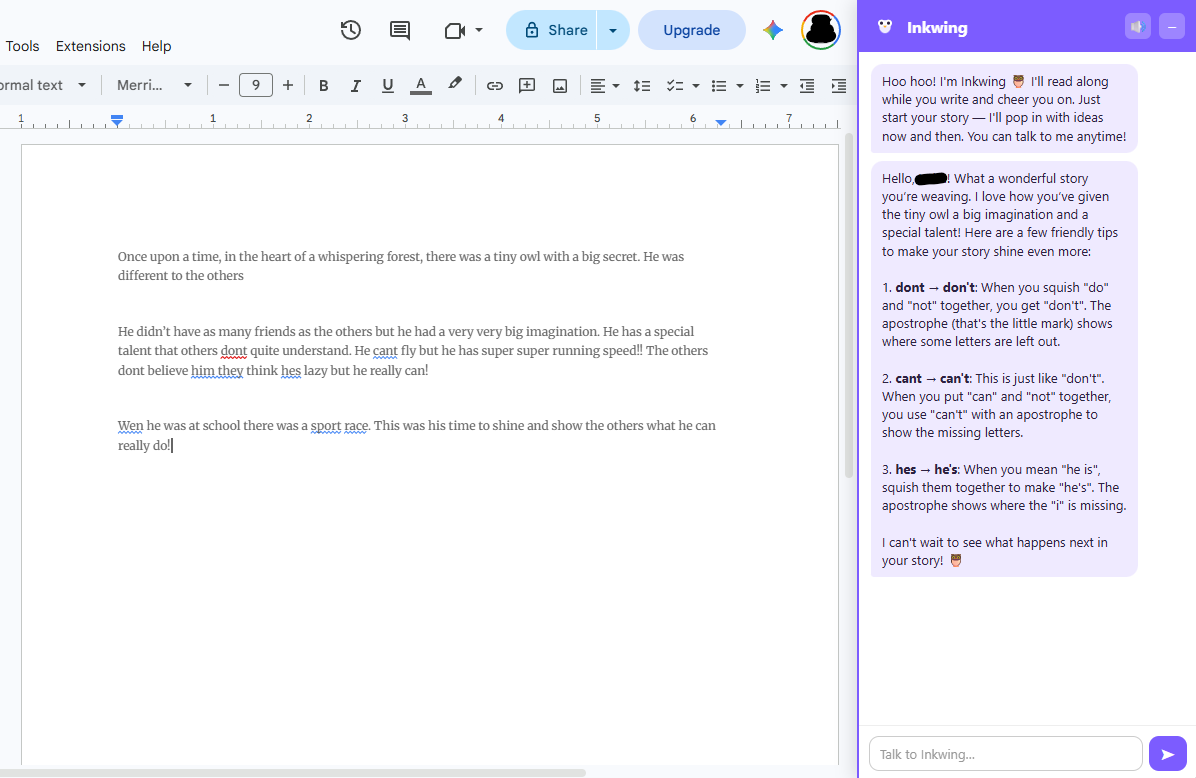
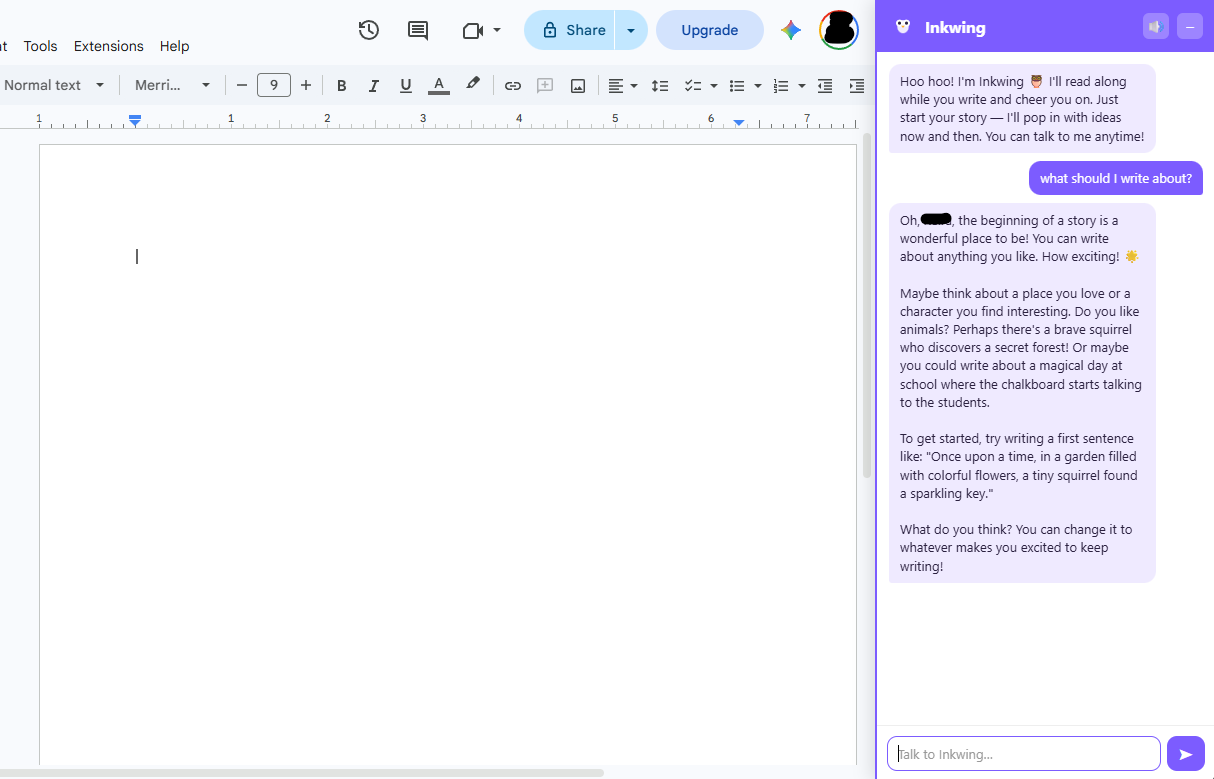
Inkwing rides along in a friendly sidebar, right next to the story.
A friendly little owl who lives in your Google Docs and helps young writers tell their stories.
As kids write, Inkwing reads along and offers gentle ideas, kind suggestions, and lots of "keep going, you've got this!"
Chrome / Edge extension · free · bring your own OpenAI keyInkwing rides along in a friendly sidebar, right next to the story.
Three little steps and Inkwing is perched in the corner of your doc, ready to help.
Download the zip and load it into Chrome. It takes about a minute — no app store, no account.
Paste in your own OpenAI API key. It stays on your computer and powers Inkwing's ideas.
Open any Google Doc and write. Inkwing reads along and pipes up with friendly help.
A patient writing buddy, never a grader.
"What if the dragon was actually shy?" Little sparks to get the story moving again.
Kind nudges on a describing word or a next sentence — always the writer's choice to use.
Cheers on the good bits so young writers feel proud and want to keep writing.
Warm, simple language pitched for young storytellers — never a red pen.
A grown-up should do this part once. It takes about five minutes.
manifest.json.chrome://extensions. In Edge, go to edge://extensions. (Type or paste it into the address bar.)manifest.json.🛡️ Inkwing runs entirely in your browser. Your child's writing and your key stay on your computer — they're only ever sent to OpenAI to generate Inkwing's replies.